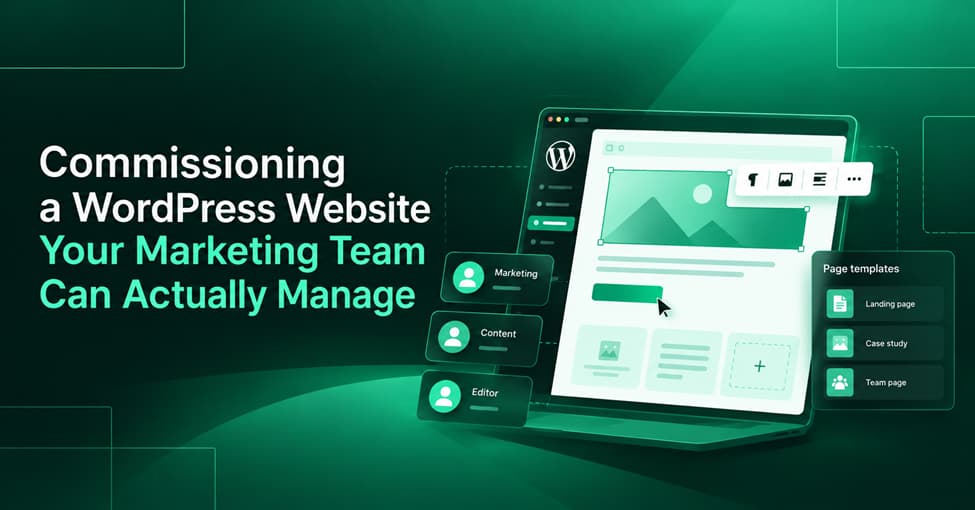
Commissioning a WordPress Website Your Marketing Team Can Actually Manage
A manageable WordPress website starts with documented publishing requirements and proves its usability through real editor testing before launch.
- Define recurring publishing tasks, their owners, and required layouts before development
- Specify editable fields, optional content, and responsive behavior for every major page type
- Give content editors appropriate access without granting unnecessary administrative control
- Test real publishing workflows using actual employee accounts before accepting delivery
- Require documentation, training, and clearly defined post-launch support
A new website may look great and work perfectly at launch, but the real challenges often appear when the marketing team starts managing content on its own. Something as simple as publishing a campaign page can become frustrating when headlines don’t fit the layout, there’s no room for additional testimonials, or replacing a hero image requires help from a developer. These problems usually come down to how the website was planned, since companies often spend more time reviewing the design than considering how their employees will actually use and update the site after launch.
A WordPress website should be commissioned around the work people need to perform after launch. For a marketing team, that means defining content workflows, editing boundaries, and practical acceptance criteria before developers start building.
The goal isn’t unlimited editing freedom. It’s making everyday publishing predictable without exposing the entire website to accidental changes.
Start with the pages your team needs to publish
Before discussing colors, animations, or homepage concepts, identify what your organization publishes throughout the year.
A website that receives one service update per quarter needs a different editing setup from one supporting weekly campaigns across several markets.
Start with a simple publishing inventory:
| Content type | Typical frequency | Responsible person |
| Campaign landing pages | Weekly or per campaign | Campaign manager |
| Case studies | Monthly or after project completion | Content marketer |
| Team profiles | As employees join or change roles | HR or marketing |
| Service updates | As offerings change | Service owner and content editor |
| Blog articles | Weekly or monthly | Content editor |
These are illustrative frequencies, not industry benchmarks. Replace them with your actual publishing schedule.
The inventory reveals something a visual design brief usually misses: which content structures must be repeatable and which tasks require approval.
For instance, a campaign manager might need to create landing pages with different combinations of benefits, testimonials, and forms. A content editor might only need to add case studies using a fixed structure.
Both workflows should influence the build.
Ask each content owner to walk through their last few publishing requests. Record which changes were straightforward, which required technical help, and which created delays.
That’s a more useful starting point than asking whether everyone wants a flexible CMS.
Specify editable fields and reusable layouts
“Everything should be editable” sounds reassuring in a proposal. As a technical requirement, it’s nearly useless. What does everything include? Button labels? Background colors? Form destinations? Navigation? Entire page structures?
Without boundaries, a flexible editor can become a collection of inconsistent pages that nobody feels confident maintaining. A more practical approach is to specify three levels of content control.
Individual fields cover content such as headlines, descriptions, images, links, and calls to action. Editors should know which fields are required and what happens when a field is left empty.
Reusable components provide approved sections such as testimonial cards, pricing comparisons, feature grids, or contact banners. They let editors assemble pages without designing each section from scratch.
Page templates establish broader structures for recurring content types, including case studies, service pages, and campaign landing pages.
WordPress supports these approaches through its block editor and block patterns. Unsynced patterns offer a repeatable starting layout that can be customized independently, while synced patterns can maintain shared content across multiple locations.
That distinction matters. Editing a globally synchronized contact banner is different from changing a single campaign’s introduction.
Consider a case study page with an optional customer quote. If no quote is available, the surrounding layout should close naturally rather than leave a conspicuous empty section.
The same applies to long headlines. A heading that looks perfect with five words may wrap awkwardly when a marketer enters fifteen. Developers should establish how typography, spacing, and components respond to realistic content lengths.
Ask for these scenarios to be demonstrated, not merely described.
Agree on permissions and approval paths
Content ownership and technical administration are different responsibilities.
Someone who publishes articles shouldn’t automatically need access to install plugins, modify site-wide settings, or change production code.
WordPress provides built-in user roles with different capabilities. For example, an Editor can manage published content, while an Administrator has much broader control over site configuration. Specific capabilities can also be customized.
The right permissions depend on actual responsibilities, not job titles.
A practical access model might assign drafting to content contributors, publishing approval to a senior editor, and technical administration to a designated website owner or development provider.
Document the approval path as carefully as the access itself.
Can a campaign manager publish immediately? Does a service page require legal review? Who can change a shared call to action? Who approves modifications to tracking scripts?
These questions matter because publishing authority is part of the operational design.
Before launch, test permissions using ordinary employee accounts. Verify that staff can complete their assigned tasks and cannot access functions outside their responsibilities.
An administrator demonstrating the editor proves very little about what a regular content owner will experience.
Turn ease of use into acceptance tests
“Easy to manage” should be a measurable delivery requirement.
Instead of accepting that description in a proposal, ask the marketing team to complete a short publishing exercise on the staging website.
Give someone who hasn’t worked on the build an account with their intended role. Then ask them to create a campaign page using approved templates, replace its images, edit the headline, configure a call to action, and prepare it for review.
The test should include several realistic complications:
- Enter a headline considerably longer than the design example
- Leave an optional section empty and confirm the layout still works
- Replace an image with a different crop and review its appearance
- Preview the page before publishing, including on a mobile-sized screen
- Check that required SEO fields are accessible and that the form submits correctly
- Attempt a restricted action to verify access controls
Record where the employee becomes confused, encounters an error, or needs developer assistance. A successful acceptance test means the employee can finish the agreed tasks without undocumented workarounds.
Mobile testing deserves particular attention. A page can look correct inside the desktop editor and still produce awkward spacing, overflowing text, or misplaced buttons on a phone.
The published output needs to be checked, not just the editing interface. Make these tests part of the acceptance criteria before the project begins. Otherwise, usability issues discovered during launch preparation can turn into disagreements about whether the requested functionality was included.
What to include in the development brief
A useful development brief connects business workflows to specific deliverables.
It should tell developers what content the organization maintains, how employees should edit it, and what constitutes an acceptable result.
Include the following requirements:
Content architecture: Define page types, structured entries, required fields, optional sections, and relationships between content items.
Editor functionality: Specify approved blocks, reusable sections, page templates, media handling, and restrictions that protect the design.
SEO controls: Identify who can edit page titles, meta descriptions, URL slugs, image alternative text, and other relevant settings. Clarify which tools or plugins will provide these controls.
Forms and integrations: List required forms, validation behavior, notification recipients, CRM connections, and data-handling requirements.
Documentation and training: Request a short editor guide showing how to create, update, preview, and publish each major content type.
Quality assurance: Define responsive checks, browser coverage, accessibility expectations, role-based testing, and approval procedures.
Warranty and support: Establish what counts as a defect, how long agreed defect remediation remains covered, and what happens when the business requests new functionality.
For organizations with workflows that standard themes cannot adequately support, custom WordPress development for marketing teams that manage their own content can be commissioned around these agreed requirements, with the specific features and deliverables explicitly defined in the project scope.
The distinction between defects and enhancements is especially important. A broken field that was promised in the approved specification is a different issue from requesting a new page component three months after launch.
The handoff should also establish who owns the source code, domain, hosting accounts, licenses, and documentation. Ownership should be settled contractually rather than assumed.
Choose a team that can demonstrate the editor
A portfolio full of polished screenshots tells you how a development team presents its work. It doesn’t necessarily tell you how that work is maintained.
During vendor evaluation, request a demonstration of an actual editing workflow.
Ask the team to create a page from scratch, change a section, add a new case study, and show how content appears on mobile. Watch how many steps each task requires and whether the process relies on hidden settings or developer intervention.
Then ask more revealing questions.
What happens when a new employee takes over publishing? How are changes to shared components controlled? Can another developer maintain the implementation? What happens if the agency relationship ends?
A credible provider should be able to explain the content architecture, demonstrate the editing experience, and document the boundaries between routine updates and technical changes.
Don’t assume the most elaborate editor is the best one. Greater flexibility may be justified for a business launching varied campaigns every week. A company publishing only a few standardized page types may benefit from tighter controls and simpler workflows.
The right choice is the one that supports the team’s real publishing needs with the least unnecessary complexity.
A website launch shouldn’t be the moment marketing discovers what it can and cannot change.
Before signing off, have the people who will actually manage the site prove they can use it. If they can publish, preview, revise, and maintain their content confidently, the project has delivered something far more valuable than an attractive set of pages: a website the business can operate.
